
Visual Insights with AI
The Visual Insights with AI feature scans your template and flags potential layout, spacing, contrast, text, and content issues before you export, helping you catch problems while you still have time to fix them. It lives in the Health Bar, where it is one of three AI reviews you can run on a project.
The Health Bar and Email Size are available on all plans, but the AI analysis (Analyze design) is a paid feature, it runs on AI credits, so free workspaces will be prompted to upgrade.
How it differs from the other two AI reviews
The Health Bar offers three AI reviews. They read the same project but answer different questions, so it is worth picking the one that matches what you are worried about.
| Review | What it looks at | Where the answer appears |
|---|---|---|
| Visual Insights with AI | Your design the way a reader sees it: spacing, contrast, structural balance and typographic hierarchy | In the Health Bar panel, under the button |
| Review Writing with AI | Your copy: tone, clarity, structure and calls to action | In the AI chat |
| Accessibility Insights with AI | Colour contrast, font sizes, link visibility and tap-target sizes, including text sitting on a background image | In the AI chat |
All three work the same way in the ways that matter: nothing runs until you press the button, the estimated cost in credits appears next to it once the card is open, and none of them change your email on their own. The two that answer in the chat end with an Apply suggestions button; Visual Insights lists its findings in the panel for you to click through one at a time.
Note: The Health Bar also runs a set of automatic checks that cost nothing and need no AI, including a free accessibility pass covering contrast, font sizes and tap targets. Those catch the measurable problems; the AI reviews are for the judgement calls. See Using the Health Bar in Postcards.
How to Use the Feature
In the editor's top bar, click the Health Bar (the slim vertical gauge at the far right, past Export) to open it. The panel holds Test Deliverability, your Email Size with a link to tips for reducing it, the three AI reviews, and below them the automatic checks that run on every project.

Click Visual Insights with AI. The card opens its own view inside the panel; click Analyze design to start the scan. The estimated credit cost for the run is shown next to the button.

The analyzer reviews your entire template and returns a detailed list of suggestions and issues. Because it reads the whole template, the estimated cost shown on the button varies from project to project — larger or more complex templates generally use more credits than short, simple ones.
AI Credits and Usage
Visual Insights is a paid-plan feature. Running an analysis uses AI credits, which the free plan doesn't include. Credits come as a monthly allowance with any paid plan (Lite or higher), and you can buy credit packs for more on top. Analysis draws from your workspace's shared AI credit balance, the same pool used by other AI features like the AI Copywriter.
- Cost is an estimate. The figure next to the Analyze design button is an estimate; the exact amount is calculated for that specific run and varies with the template's size and complexity. If your balance is too low to cover a run, Postcards prompts you to top up before it starts.
- You're only charged on success. If an analysis fails, no credits are deducted.
- Checking your balance. Credits are shared per workspace and reset each billing cycle (unused credits don't roll over). See your remaining balance in Workspace Settings → Workspace tab, or from your avatar menu in the top bar.
- Running low? Use Add More Credits from the avatar menu or Workspace Settings.
For how credits and plans work across workspaces, see Creating and Managing Workspaces in Postcards and Understanding AI Credits.
Examples of What It May Flag
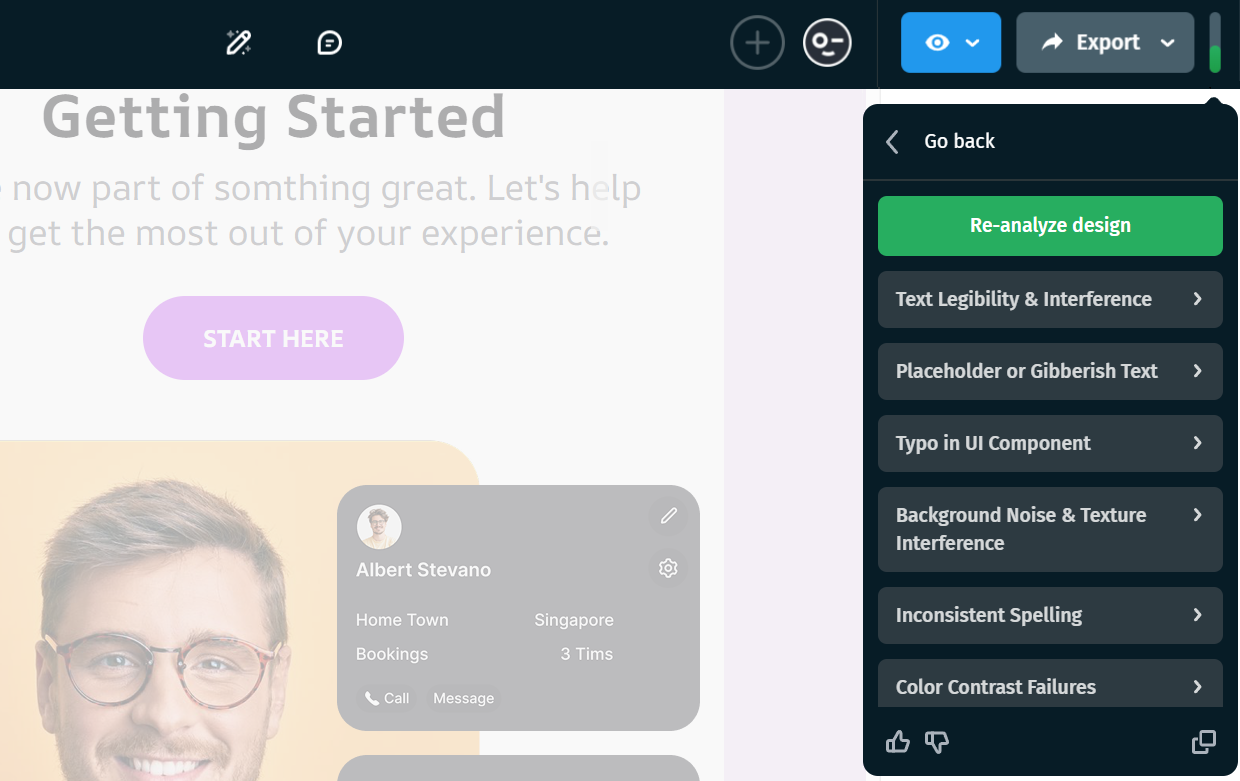
- Layout clipping in hero sections
- Padding issues
- Overlapping elements
- Color contrast issues
- Content inconsistencies or typos
Working with suggestions
Click any suggestion to expand it for a more detailed breakdown of the identified problem.
When you select a suggestion, the editor will automatically navigate to the relevant section on the canvas, making it easy to locate and fix the issue.

After making adjustments, click Re-analyze design to scan the updated version and confirm the improvements. The Re-analyze button becomes available only once you've edited the template since the last scan, so you don't spend credits re-checking an unchanged design. A re-analysis runs a fresh scan and uses credits again, just like the first run.
Additionally, the copy icon in the bottom-right corner lets you copy the full list of detected issues. This makes it easy to share findings with teammates or review improvements outside the editor.

Feedback options
You can click the thumbs up or thumbs down icons to rate the analyzer’s feedback and use the optional feedback field to suggest improvements.