
Export the Postcards Email Template to Moosend
Explore the seamless integration between the Postcards email builder and Moosend by exporting your custom email templates directly to your Moosend account.
In this guide, we'll walk you through the simple process of exporting your email templates to Moosend, ensuring your email campaigns maintain a consistent and professional look with minimal effort.
Download free Moosend email templates from our email template gallery.
Steps to Follow
Step 1: Open Your Desired Template
Begin by opening the Postcards app and selecting the template you would like to work with.
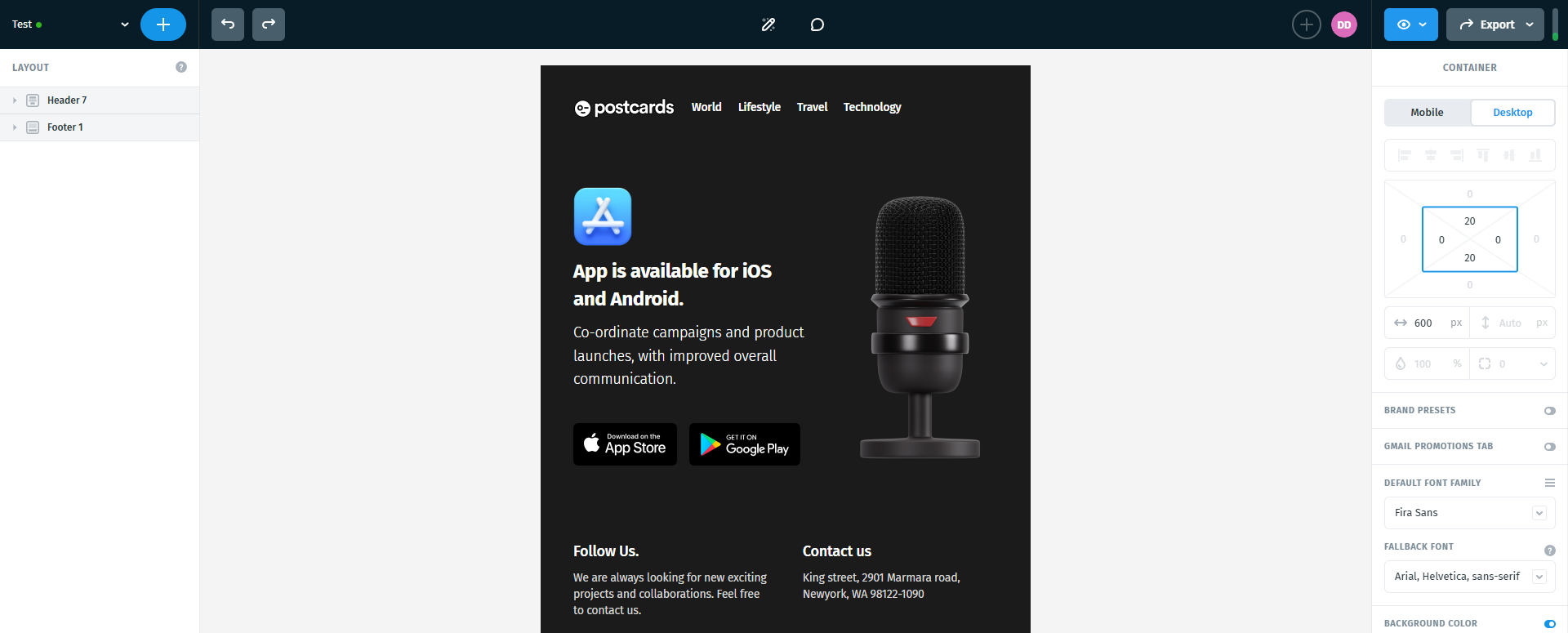
Step 2: Customize Your Template
Once your template is open, take some time to customize it according to your preferences. Adjust the content, images, and layout until everything matches your needs.
Step 3: Find the Export Option and Integrations
Once you're satisfied with your template's appearance, move your cursor to the top-right corner of the screen and click the "Export" option.
After clicking "Export," a drop-down menu will appear. From there, locate and select the "Send to Email Platform" option.

Step 4: Connect with Moosend
In the integrations section, you'll see several one-click integration options. Locate "Moosend" and select it.

Step 5: Enter Your Moosend Details
A pop-up window will appear asking you to enter your Moosend account URL and API Key.

To find your Moosend account URL, open your Moosend account:
- Go to More.
- Select Settings from the drop-down menu.
- Open Branding.
- Copy your Custom Platform Domain.

To find your API Key, go to the same settings area and locate the API Key section below Branding.

Step 6: Authorize the Connection
Enter your Moosend account URL and API Key in Postcards.
After entering your details, the form should look like this:

Click Connect to authorize the integration.
Step 7: Verify Your Template in Moosend
Once the connection is complete, a hyperlink to your Moosend templates will appear.
Click the link to open your Moosend templates.

You should see the newly imported template there.

Open the template and compare it with the original version in Postcards to make sure everything looks as expected. Your template is now ready to use in your Moosend email campaigns.

And there you have it — a quick and effortless way to transfer your email template from Postcards to Moosend. Keep exploring, and see you next time!
What we covered
- How to export a Postcards email template to Moosend