
Export the Postcards Email Template to Klaviyo
Discover the seamless integration between Postcards email builder and Klaviyo by exporting your custom email templates. Follow the step-by-step guide below to effortlessly transfer your templates and kick-start your email campaigns.
We have released new email templates for Klaviyo.
Steps to Follow
1. Select Your Desired Email Template
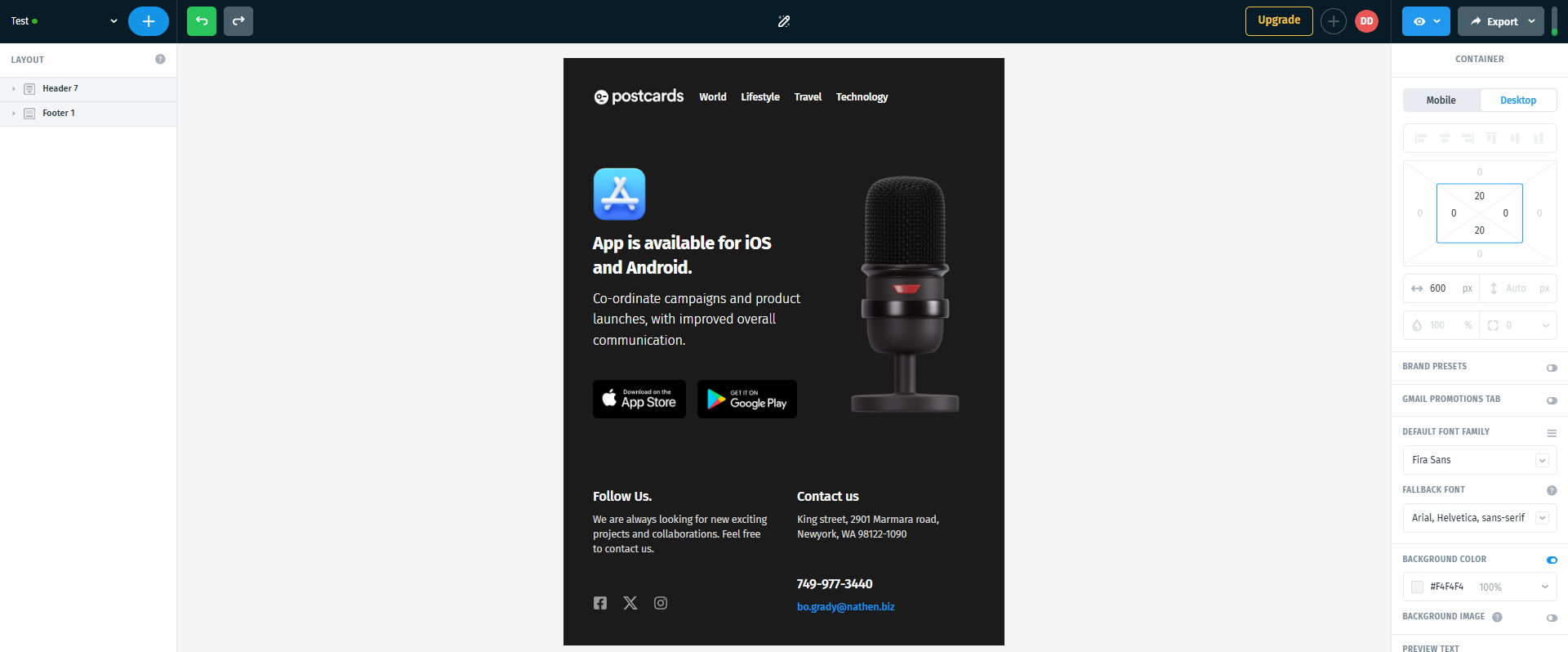
Open the template you wish to export to Klaviyo inside Postcards.
2. Export Your Email Template
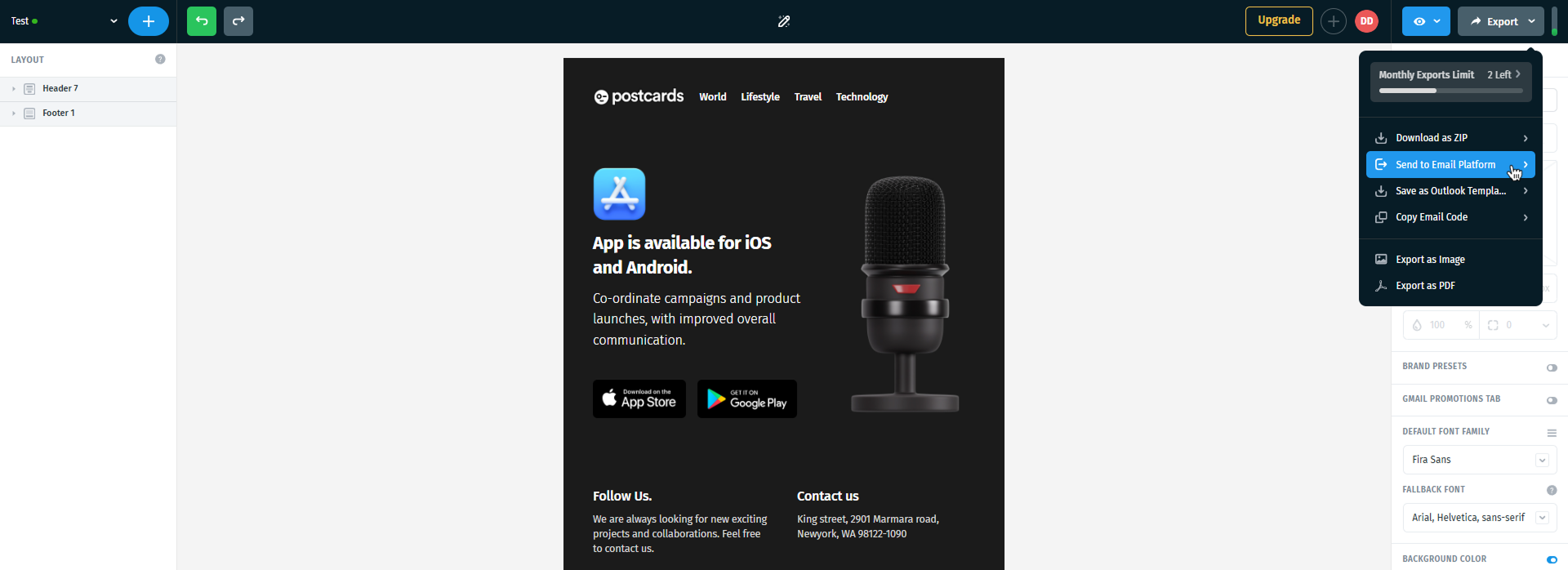
Customize the template to your preferences. Once you are satisfied with the result, hover over the Export button in the top right corner of the screen and click on it. A dropdown menu will appear — select Send to Email Platform from the list.
3. Initiate the Klaviyo Integration
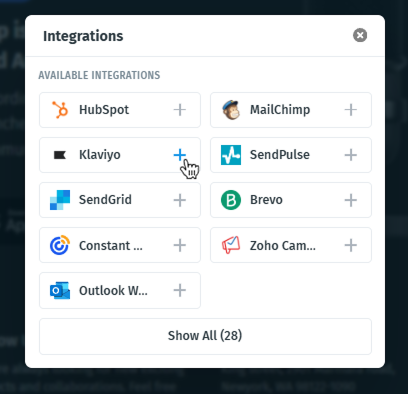
A pop-up window will appear showing various one-click integration options. Find Klaviyo in the list and click on it to proceed.
4. Authorize the Connection (OAuth Flow)
A review and authorization window will open, displaying the details of the connection request between Postcards and Klaviyo. Review the information and click Continue.
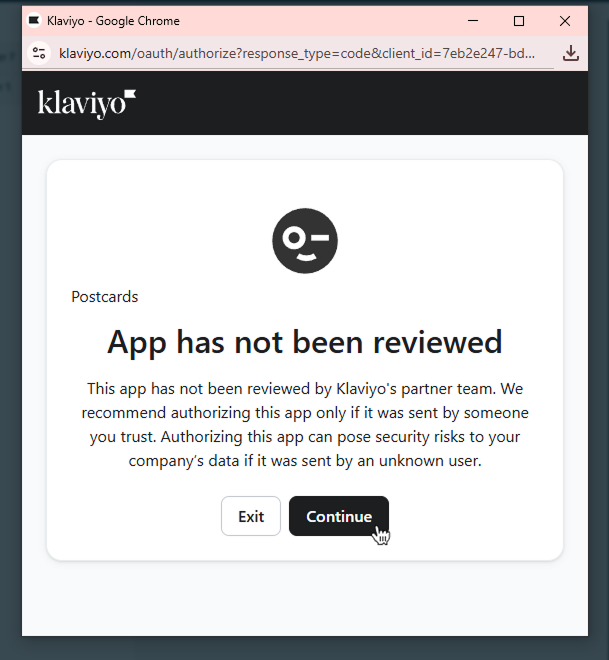
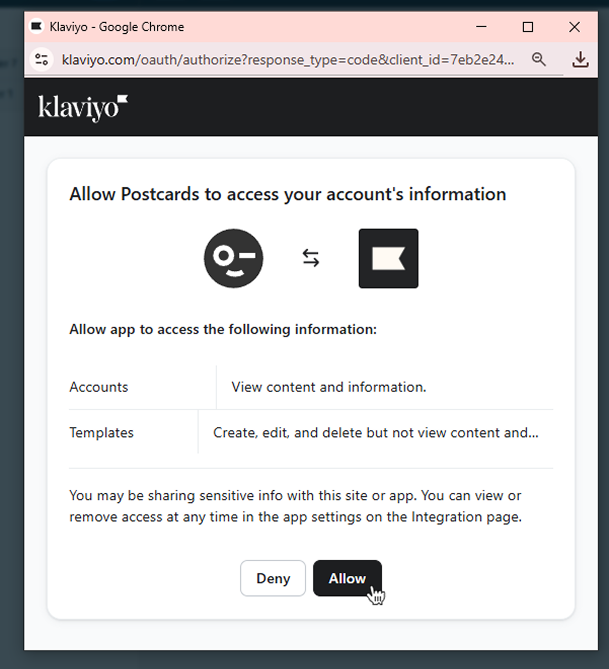
A second pop-up will then appear asking you to allow access. Confirm by approving the request. This step uses a secure OAuth connection, so no API key is required — Klaviyo handles the authorization automatically.
5. Confirm the Import and Accessing Your Template
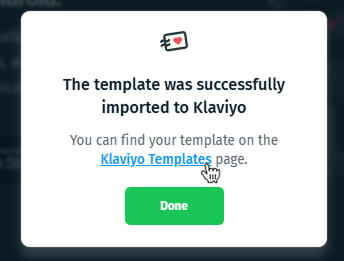
After approving access, a confirmation window will appear stating that your template has been successfully imported into Klaviyo. Click the Klaviyo Templates hyperlink to be redirected directly to your template library.
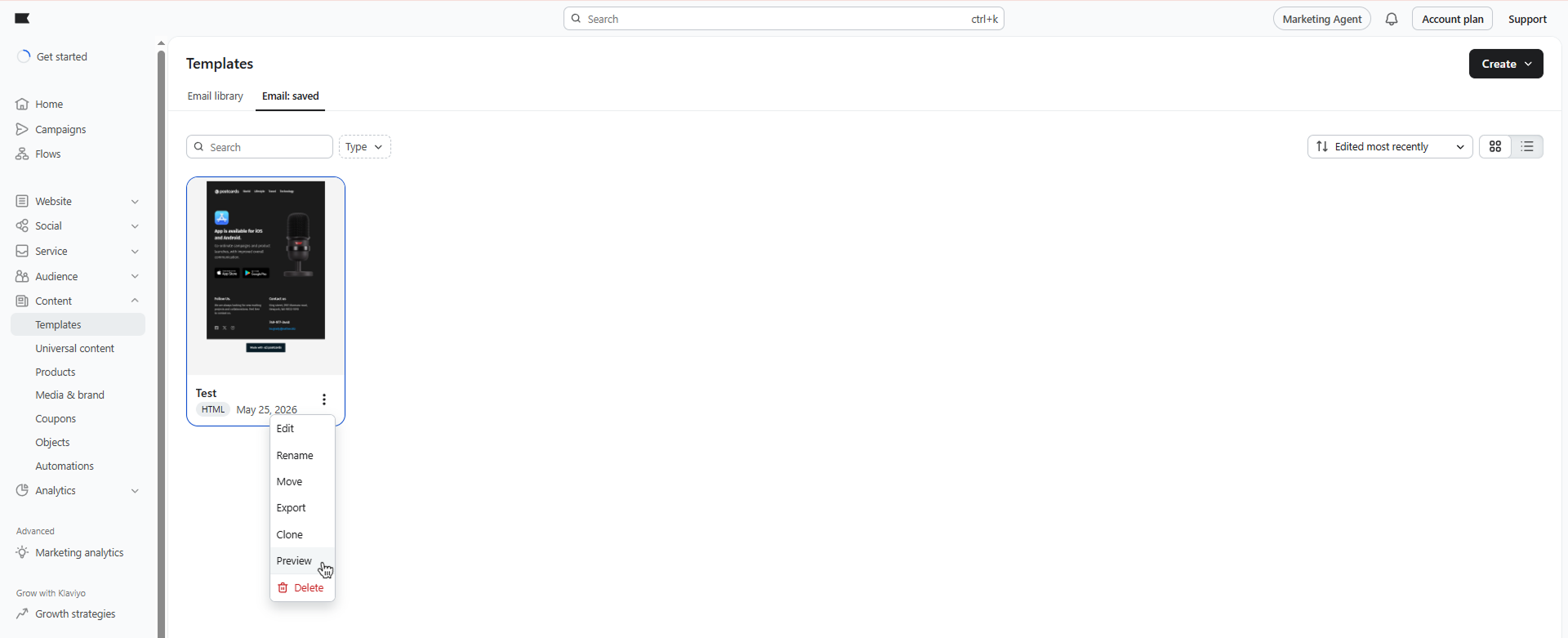
Once inside Klaviyo, locate your imported template and click the three-dot menu (⋮) next to it to preview it. From there, you can further customize the template or use it straight away in your email campaigns.
Conclusion
Exporting your email templates from Postcards to Klaviyo is quick, simple, and requires no technical setup — just a few clicks and your template is ready to use. With a secure OAuth connection handling the authorization automatically, you can focus on what matters most: crafting great email campaigns.
Stay tuned for more tutorials, and feel free to explore the other integrations available within Postcards!